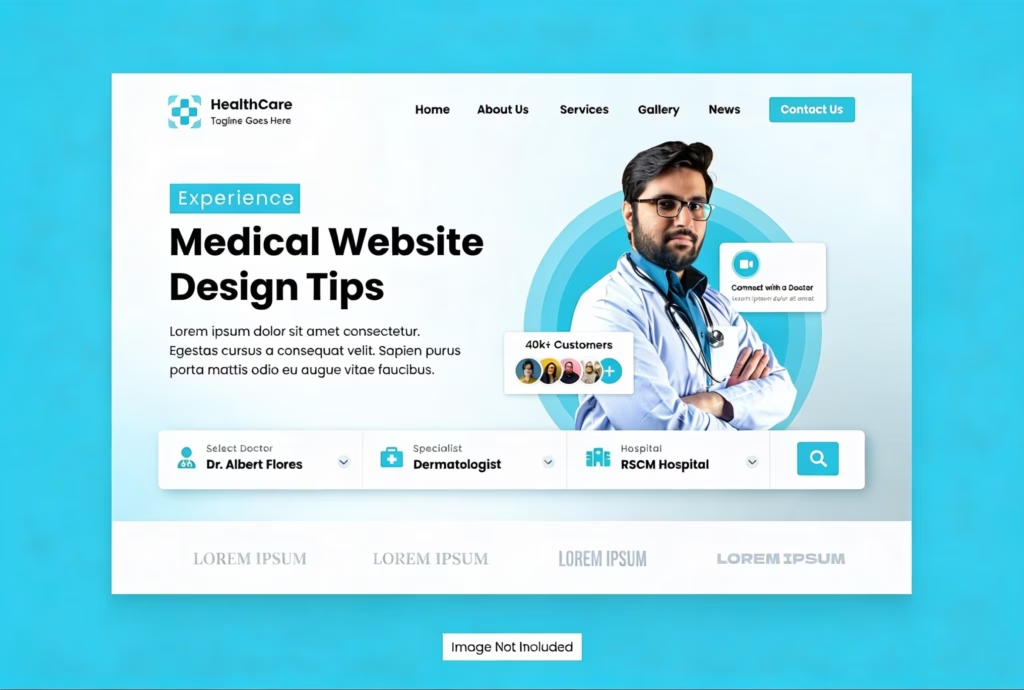
Most medical websites look professional but fail to bring in actual patient appointments. Your website could be losing thousands in potential revenue every single month. Best medical website design tips focus on converting visitors into scheduled patients.
This guide shows you exactly what makes medical websites succeed in 2026. Mighty Musketeers builds websites specifically designed to maximize patient conversion rates and growth. About 50% of healthcare traffic comes from mobile devices right now. We’ll explain which design elements actually matter versus those that waste money.
What are the Best Medical Website Design Tips?
Best medical website design tips are proven strategies for making medical websites convert visitors. These tips focus on speed, mobile optimization, clear messaging, and easy booking. Best medical website designs balance professional credibility with a warm, approachable patient experience effectively.
Unlike general business sites, medical websites need HIPAA compliance and trust signals. Best medical web design removes friction between visitor interest and appointment scheduling. The goal is to make it incredibly easy for patients to choose you. Good design tips deliver measurable improvements in conversion rates and patient acquisition.
Tip 1: Make Your Website Load Lightning Fast on All Devices
The most important factor in whether people stay on a website is speed. In fact, research has revealed that just a one-second delay in page-load time can reduce conversions by 10%-15%. Visitors want pages to load in two seconds or less, or they bounce elsewhere. Fast sites also get this love from Google over slow, clunky competition.
Optimize images and take advantage of new formats such as WebP for faster load times. Cut out code and scripts that are slowing down your site’s load speed. Leverage CDNs to deliver files to locations all over the world more quickly. Medical website design must prioritize speed over fancy animations that hurt performance.
Tip 2: Design for Mobile Users First, Then Adapt for Desktop
Today, about 50 percent of the people who visit health care websites are browsing on their phones. Google now crawls your mobile site first, and only then does it bother counting the desktop index. If your site is not working flawlessly on phones, you don’t exist at all. Between desktop and mobile: The tap targets are larger than on a desktop (because now you’ll be reaching out with your thumb or finger to touch/click). Text is readable without zooming or horizontal scrolling on screens;orest. Thumb-friendly contact info and booking buttons should stand out. Test your site on real phones, not just desktop browser simulators. Best medical web design always starts with a mobile experience, then scales up.
Tip 3: Create Clear Navigation That Helps Patients Find What They Need
Confusing navigation makes patients leave before finding the information they wanted. Simple menus with clear categories help people complete their intended tasks. Most visitors come looking for services, locations, providers, or appointment booking options. Limit top menu items to the five or six most important categories.
Use descriptive labels rather than clever wording that nobody actually understands clearly. Include a prominent search function for people who prefer finding things. Consistent layout across all pages reduces confusion and builds familiarity quickly. Test navigation with real patients to identify confusing parts you missed.
Tip 4: Add Prominent Booking Buttons Throughout Every Single Page
Simple, clear calls to action that explicitly tell visitors what they should do next. Sticky book buttons that follow you on screen as you scroll increase conversion dramatically. Use action-based language like “Book appointment now,” not passive “Learn more.” Let’s make buttons SCREAM with color against the page background! Position CTAs below service descriptions for when demand to book is at its peak. Multiple booking opportunities throughout the page catch people at different moments. Best medical website designs make scheduling the easiest action visitors can take. Every page should guide people toward booking rather than just browsing.
Tip 5: Integrate Online Self-Scheduling to Capture After-Hours Patients
Now, roughly 43 percent of appointments are booked outside regular business hours. Patients who can’t make appointments online frequently call competitors that do offer the service, he said. Self-scheduling also cuts down on phone calls, giving your staff more time to devote to the tasks that matter most.
The integration of your practice management system – and you even avoid double-booking issues altogether. “Real-time visibility does help, as patients know when they can actually get seen. Automated confirmations and reminders cut down on no-shows and keep your calendar full. Mighty Musketeers can import scheduling tools that fully align the process to reality. Booking is ‘on the go’. Online booking has slowly become not a nice-to-have feature but rather an expected one.
Tip 6: Optimize Every Page for Local Search and AI Visibility
Local SEO ensures you appear when nearby patients search for doctors. Create separate pages for each service you offer using keywords patients search for. Include location-specific content if you have multiple offices in different areas. Add schema markup to help Google understand your services, hours, and provider information.
Optimize page titles and descriptions with terms patients actually use when searching. Build consistent citations across medical directories like Healthgrades and Zocdoc regularly. Medical website design must include technical SEO, or you’re invisible in searches. AI platforms increasingly rely on structured data to recommend providers confidently.
Tip 7: Display Trust Signals That Make Patients Feel Confident Choosing You
Patients need guidance before they trust you with their health and money. Show real patient reviews and star ratings at the forefront of pages. Display provider licensure, credentials, certifications, and professional memberships prominently in all areas. Instead of stock images, include real photos of your real team. Feature security badges that indicate your site is encrypted and HIPAA compliant. Patient reviews create social proof for others to book with confidence. Awards and honors from credible institutions win further trust quickly. Best medical website designs layer multiple trust signals throughout the experience.
Tip 8: Keep All Information Accurate and Updated Regularly
Outdated information frustrates patients and wastes their time calling to verify. Incorrect office hours result in missed appointments and angry patient experiences. Provider bios should reflect current team members, not people who left. Insurance lists must be current, or you’ll get patients you can’t serve. Review all contact information quarterly to ensure accuracy across platforms consistently. Sync your website with Google Business Profile so the information matches exactly. Fresh, accurate content also signals to Google that your site is maintained. One wrong detail can destroy the trust you worked hard to build.
Tip 9: Use Consistent Branding That Looks Professional and Trustworthy
Uniform design says that you have your act together, and you’re a pro through and through. As visitors work their way through each page, use the same colors, fonts, and style. Professional branding gives the impression that you deliver quality medical care, which would help to increase confidence in this area as well. Amateur With Too Many Typefaces.
All sounds obvious enough, especially when design has become democratized through the use of software. Simple layouts spare all the extra stuff that makes content difficult to read. The quality of care you provide needs to be reflected in your website design. Mighty Musketeers creates cohesive branding that strengthens your professional image throughout. First impressions happen in seconds, so make yours count positively always.
Tip 10: Publish Fresh Educational Content That Helps Patients Regularly
New content signals your practice is active and current with medicine. Educational blog posts answering patient questions build trust and attract traffic. Write about common conditions you treat using language that regular people understand. Physician-authored content carries more authority than generic health information copied. Link internally from blog posts to relevant service pages for SEO. Fresh content gives you material to share across social media platforms. Google rewards sites that regularly publish helpful, accurate medical information consistently. Plan monthly topics rather than sporadic posting when you randomly remember.
Common Medical Website Design Mistakes That Cost You Patients
Many practices waste money on websites that look good but don’t convert. Using too many stock photos that look fake hurts credibility. Making forms too long causes people to abandon before completing submissions. Hiding contact information makes it hard for patients to reach you. Not having mobile optimization means losing half your potential traffic completely now. Ignoring page speed because you don’t realize how much it matters. Forgetting clear calls to action so visitors don’t know what to do. Violating HIPAA with insecure forms that expose you to massive fines.
Bottom Line
Best medical website design tips focus on speed, mobile optimization, and conversion. Mighty Musketeers builds medical websites that actually turn visitors into scheduled paying patients. Start by fixing your biggest problems first, rather than everything at once. Test changes to see what improves conversion rates most for you. Your website should work as hard as you do to bring patients.
FAQ
How is designing websites for medical services different from a typical business website?
Healthcare websites require HIPAA compliance, trust signals, and patient-centered messaging in particular. You do have to juggle a whole bunch of providers, locations, services, and insurance information all at once. Top medical website designs adhere to stringent healthcare laws and convert visitors like clockwork.
How frequently should medical practices update their website designs to remain current?
In modern practice, continuous optimization is the rule, not redesigning every few years. Keep sections up to date by updating content and technology regularly. Massive re-designs are only necessary when things get outdated or break.
What difference does website speed have on real, only the patients who become our clients?
Absolutely, you’re not wrong: just 1 second of delay kills conversion rates by 10% to 15%. 1: Fast sites rank higher on Google (and feel more trustworthy to visitors, too). Search visibility and visitor conversion rates are indeed directly affected by speed.
Why do some seemingly professional medical sites have low rankings on Google?
No matter how beautiful your design, it won’t ensure that all of your pages are going to be seen in search without a solid foundation of technical SEO. The result of your rankings is mainly based on structured content, markup, backlinks, and your page load speed. Our Mighty Musketeers combine good design with SEO that actually gets you found.
Should small practices invest in custom websites or use cheaper templates?
Templates save money initially but limit performance, flexibility, and compliance long term. Custom sites allow better SEO control and marketing automation, yielding higher ROI. Growing practices benefit more from custom builds designed for their needs.