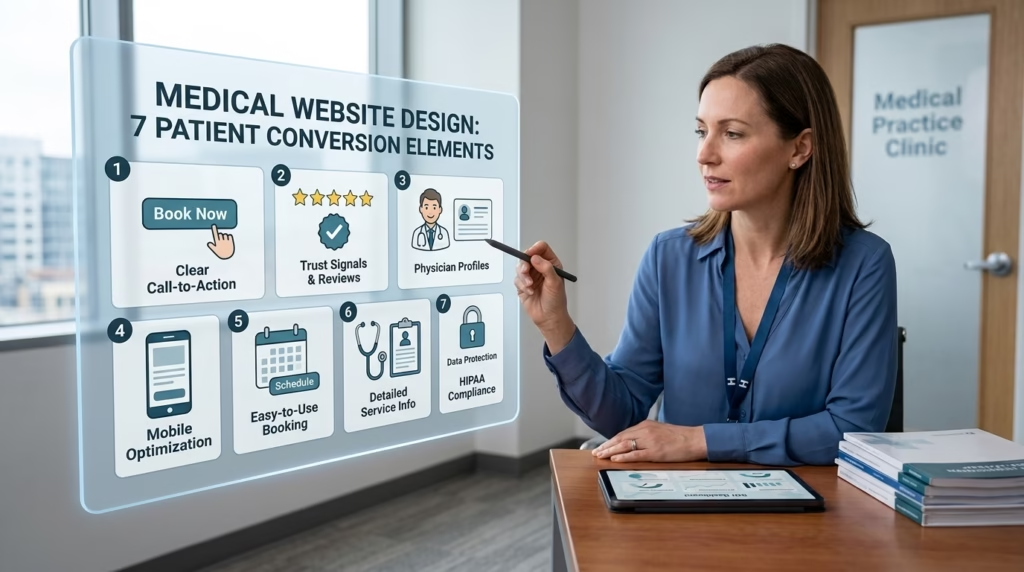
A medical website is often the first place where patients learn about a healthcare provider. Before making an appointment, most people visit a clinic’s website to check services, read reviews, and decide whether they trust the practice. A well-designed website creates confidence and encourages visitors to book an appointment.
Following the right medical website design tips can help healthcare providers improve patient experience, increase appointment requests, and strengthen their online presence. In this guide, you’ll discover seven essential website elements that can turn casual visitors into loyal patients.
1. Create a Clean and Professional First Impression
An attractive and well-organized website helps visitors feel confident about choosing your healthcare services. A cluttered layout, outdated design, or confusing navigation can cause potential patients to leave immediately.
Your website should include:
- Clean layout
- Professional healthcare images
- Easy-to-read fonts
- Consistent brand colors
- Plenty of white space
A simple design helps patients focus on finding information instead of searching through unnecessary content.
2. Make Appointment Booking Simple
One of the most important medical website design tips is reducing the number of steps required to book an appointment.
Patients should easily find:
- Book Appointment button
- Contact number
- Online scheduling form
- Office hours
- Clinic location
Place appointment buttons on every important page so visitors can schedule a visit without searching.
Best Practice
Use action-oriented buttons like:
- Book an Appointment
- Schedule Your Visit
- Request a Consultation
These encourage visitors to take action immediately.
3. Build Trust with Doctor Profiles
Healthcare decisions are based on trust.
Before scheduling an appointment, most patients want to learn about the healthcare professionals who will be providing their care.
Include detailed doctor profiles with:
- Professional photo
- Qualifications
- Years of experience
- Medical specialties
- Certifications
- Personal introduction
Adding this information helps patients feel more comfortable and confident in choosing your practice.
4. Optimize for Mobile Devices
Many patients search for healthcare services using smartphones.
If your website doesn’t work properly on mobile devices, visitors may leave before booking.
Mobile-friendly websites should have:
- Responsive layout
- Fast loading speed
- Clickable phone numbers
- Large buttons
- Easy navigation
- Readable text
Mobile optimization also supports better search engine rankings, helping more patients discover your practice online.
5. Display Patient Reviews and Testimonials
Positive patient experiences influence new visitors.
Displaying authentic testimonials provides social proof that your clinic delivers quality care.
Good places to show reviews include:
- Homepage
- Service pages
- Appointment page
You can also highlight:
- Average ratings
- Success stories
- Patient feedback
- Before-and-after treatment results (when appropriate)
Real experiences help reduce hesitation and encourage appointment bookings.
6. Provide Helpful Medical Information
Patients often search for answers before scheduling a visit.
Publishing useful content positions your clinic as a reliable source of information.
Examples include:
- Treatment guides
- Health tips
- Frequently asked questions
- Preventive care advice
- Recovery information
- Wellness articles
Educational content keeps visitors engaged and improves search visibility over time.
Using relevant medical website design tips throughout educational pages also improves website structure and user experience.
7. Improve Website Speed and Security
Patients expect websites to load quickly and protect their personal information.
Slow-loading pages increase bounce rates, while poor security damages credibility.
Improve performance by:
- Compressing images
- Using secure HTTPS encryption
- Removing unnecessary plugins
- Optimizing website code
- Updating software regularly
A secure website reassures visitors that their personal information remains protected during appointment requests.
Additional Medical Website Design Tips
Small improvements can make a significant difference.
Consider adding:
- Live chat support
- Google Maps integration
- Insurance information
- Frequently asked questions
- Emergency contact details
- Clear service categories
- Online patient forms
Every feature should make it easier for patients to find information and contact your clinic.
Pros and Cons
| Pros | Cons |
| Builds patient trust | Requires regular updates |
| Increases appointment bookings | Initial design investment |
| Improves online visibility | Content must stay accurate |
| Better mobile experience | Ongoing maintenance needed |
| Enhances clinic credibility | Security requires monitoring |
| Supports long-term patient growth | Website speed must be optimized |
Conclusion
An effective healthcare website does much more than present information—it guides visitors toward becoming patients. By following these medical website design tips, healthcare providers can create a website that is professional, user-friendly, and focused on patient needs.
From simplifying appointment booking to showcasing doctor expertise, every element contributes to a better user experience. A fast, secure, and informative website builds trust, improves engagement, and increases the likelihood that visitors will schedule an appointment.